
Minecraft Server icon for EldrathEldrath
Java Server IP ⟹play.eldrath.com
Bedrock IP:Port ⟹ eldrath.com:20010

Java IP:play.eldrath.com
Bedrock IP:eldrath.com
Bedrock Port:20010
Server Status:Offline
Last Ping: 8 months ago
Server Version: 1.21.4
Players Online:0 / 4
Submitted:2025-05-26 18:35:48
Updated:2025-05-27 12:33:45
Help the ServerVote for Server
Country:United States
Rating:
Eldrath
4 stars based on 8 reviews
Votes in June:0
Votes - all time:73
External Links: Discord
Store
Livemap

Similar Servers
MysticMC
Server Icon for MysticMC
Version: 26.1.2
Players Online: 232
Votes this month: 2
elmwoodsmp
Server Icon for elmwoodsmp
Version: 1.21.11
Players Online: 6
Votes this month: 12
Safe Survival
Server Icon for Safe Survival
Version: 1.21.11
Players Online: 27
Votes this month: 2194
The Inizicraft Server Network
Server Icon for The Inizicraft Server Network
Version: 26.1
Players Online: 6
Votes this month: 5
LucyCraft
Server Icon for LucyCraft
Version: 1.21.11
Players Online: 2
Votes this month: 72
BlossomCraft
Server Icon for BlossomCraft
Version: 26.1.2
Players Online: 544
Votes this month: 8

Recent Comments & Reviews (8) Load More
5

Hya is a great owner, he deals with crisis and issues fast and doesn’t get knocked down

5

Best server I've played on in a while, very easy to build your own town and write cool lore! Amazing geopol and worldbuilding server! :D

5

a more relaxed geopol and worldbuilding experience, great for the more casual playstyle

1

Not really a worldbuilding geo-pol server, more of a PVP, grind and build server with the theme of nations. Not much lore and diplomacy happening.

5

great server, the staff team is generally nice, there's cool events every now and again and a ton of cool builds

5

Fun worldbuilding server, great to start a Minecraft religious cult and spread the word of truth to heathens in the block game.

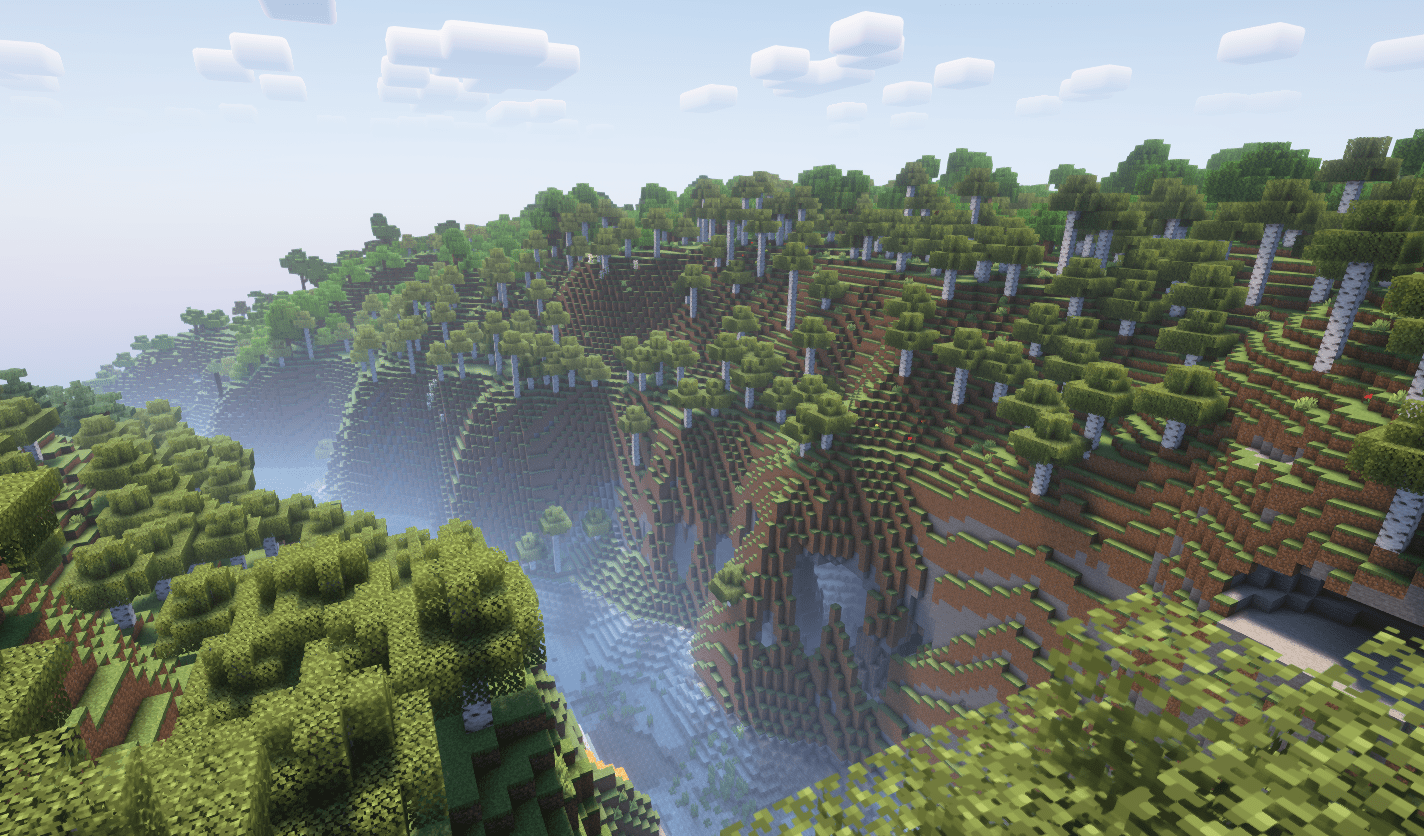
Screenshot from Eldrath Minecraft Server
Eldrath is a brand new geopolitical worldbuilding Minecraft server where you decide the fate of the world.

🌏 Claim land. Found nations.
🗣️ Spy, form alliances, wage war – or preserve peace.
⚔️ Enforce your laws and forge your legacy.
⚙️ Crossplay support
📜 Shape the world through diplomacy, war, and creativity.

Join now and forge your legend!

What kind of Minecraft Server is Eldrath?

Eldrath is a Minecraft Semi Vanilla Server that caters to players using both Java and Bedrock editions of the game. The server aims to provide a friendly and welcoming environment for players to enjoy a balanced and engaging Crossplay, Survival, Semi Vanilla experience.

Types of Games and Gameplay on Eldrath?

Minecraft servers offer a diverse range of game modes and gameplay types, which is what sets them apart from one another. Eldrath is a Minecraft server that offers several types of games and gameplay, including Towny, Roleplay, Land Claim modes.

Server software used to run Eldrath?

Using custom server software provides additional features, customization options, and plugin support compared to the original Minecraft server jar. This server has registered their server to use the following server software: Spigot

How do I join the Eldrath server?

Join with Minecraft Java edition

  • Click on the Java IP here to copy it: play.eldrath.com
  • Open Minecraft and click the Multiplayer tab and click Add Server
  • Paste the IP into the Add Server option. Click Done
  • Click Join and enjoy playing on Eldrath

Join with Minecraft Bedrock / Pocket Edition (MCPE)

  • Click on the link here to: Add Eldrath to Minecraft Pocket Edition
  • Click Play and enjoy playing on Eldrath Bedrock Edition.

  • If the above does not work, then Copy this IP and Port individually. eldrath.com Port: 20010
  • Open Minecraft Pocket Edition and click the Play button
  • Open the Servers tab and click on the Add Server option
  • Paste the IP into the Server Address field, and the Port in the Port field
  • Click Play and enjoy playing on Eldrath Bedrock Edition.
Free Server Status Banner for your own website / forum (Updates every 5-10 minutes)
Eldrath minecraft server


Copy (CTRL+C) one of the above links
Paste (CTRL+V) it into your website or forum signature