





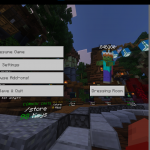
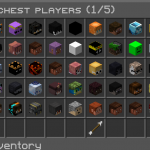

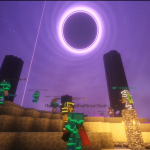
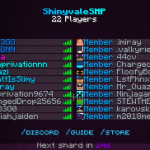
A growing survival server with under 20 friendly members — and always looking for new faces to join the adventure!
Running 1.21.11 down to 1.9 can join!
💰 Features:
• Player Economy & Shops
• Auctions & Custom Orders
• PVP & Battle Arenas
• 30 Million Block World Border with MAX Render distance!
• Optimized on a Folia server for top-tier performance
✨ Whether you’re here to grind, build, trade, or fight — there’s a place for you in ShinyvaleSMP.
Come be part of our community as we grow together!
What kind of Minecraft Server is Shinyvale SMP?
Shinyvale SMP is a Minecraft Survival Server that caters to players using both Java and Bedrock editions of the game. The server aims to provide a friendly and welcoming environment for players to enjoy a balanced and engaging Survival experience.
- Java Server IP: SHINYVALESMP.NET
- Bedrock Server IP: SHINYVALESMP.NET | Bedrock Port: 19132
- Minecraft Version: The server operates on version 1.21.11
Types of Games and Gameplay on Shinyvale SMP?
Minecraft servers offer a diverse range of game modes and gameplay types, which is what sets them apart from one another. Shinyvale SMP is a Minecraft server that offers several types of games and gameplay, including PVP, Land Claim, KitPvP, Economy modes.
Server software used to run Shinyvale SMP?
Using custom server software provides additional features, customization options, and plugin support compared to the original Minecraft server jar. This server has registered their server to use the following server software: None custom server software registered. We suspect the server uses the original game files.
Additional plugins / mods installed on server
Economy, Shop, SimpleVoiceChat
How do I join the Shinyvale SMP server?
Join with Minecraft Java edition
- Click on the Java IP here to copy it: SHINYVALESMP.NET
- Open Minecraft and click the Multiplayer tab and click Add Server
- Paste the IP into the Add Server option. Click Done
- Click Join and enjoy playing on Shinyvale SMP
Join with Minecraft Bedrock / Pocket Edition (MCPE)
- Click on the link here to: Add Shinyvale SMP to Minecraft Pocket Edition
- Click Play and enjoy playing on Shinyvale SMP Bedrock Edition.
- If the above does not work, then Copy this IP and Port individually. SHINYVALESMP.NET Port: 19132
- Open Minecraft Pocket Edition and click the Play button
- Open the Servers tab and click on the Add Server option
- Paste the IP into the Server Address field, and the Port in the Port field
- Click Play and enjoy playing on Shinyvale SMP Bedrock Edition.
