


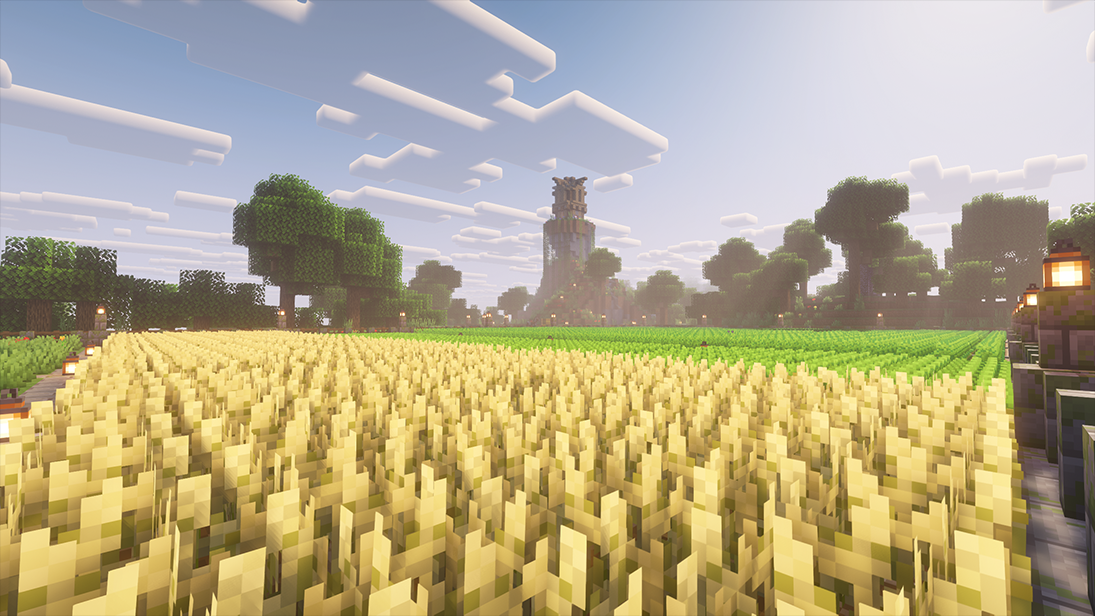
Jump in and begin exploring, building and surviving together!
Hey! We've been working on our server for a few months now and recently went live Friday 6th March to test it out. This is a PVE server with a focus on playing survival Minecraft together and building awesome projects. We are growing our small community and we would love to welcome you to join. We hope to see you soon :)
How to Join:
Java IP:
play.edsclassicsmp.com (Port:25565)
Bedrock IP:
play.edsclassicsmp.com (Port:19132)
Discord:
https://discord.gg/AyZDYvM942
Live Web Map:
http://2dmap.edsclassicsmp.com/?world=minecraft_overworld
Server Features:
Never-Resetting Main Worlds:
A main Overworld, Nether, and End that will never reset. Claim your land using GriefPrevention to safely build your mega-projects.
Monthly Resource Worlds:
Access resource-gathering worlds via betterRTP. These reset monthly and feature 2x Mining XP and 4x Hostile Mob XP to help you repair gear. Warning: These worlds are set to Hard difficulty, so be careful!
Balanced Economy:
Use the ShopGUIPlus admin shop to buy/sell core vanilla items, or the zAuctionHouse for advanced items and treasures. We also have safe, private player-to-player trading via AxTrade.
Skills & Ranks:
Level up your stats with mcMMO and earn Playtime Ranks that unlock special perks, abilities, and cosmetics. This keeps the game rewarding without ruining vanilla progression.
Companions:
We have MyPets! Access the Pet Shop and get yourself a mining buddy!
Some of our server plugins:
GriefPrevention - Land-Claiming, protect your builds from others.
Graves - Allows you to retrieve your gear.
TogglePVP - Allows you to opt-in or out of PVP combat. PVE default.
Themis / Vulcan - Anti Cheats to better your experience.
McMMO - /skills.
Playtime Ranks - show off your playtime on the server with cosmetics and other perks.
MyPet - buy and level up pets that you can ride or fly.
SilkSpawners - Pickup mob spawners.
QuickShop-Hikari - Create your own chest shops.
zAuctionHouse - Global market place for special items found in game.
ShopGUIPlus - The admin shop selling essential items.
PlayerWarps - Create your own public warms to you shops and have others explore your claim.
Geyser and Floodgate - Connect via Bedrock or Java edition.
GSit - A fun little plugin.
squaremap - check out the map and see where players are. This makes meeting friends easier!
sleep-most - Skip night with an impressive time-laps!
Voting - Vote for the server for daily rewards, perks and cosmetics.
Thanks for reading! we're still actively working on the server, so let us know any suggestions you have and how we can improve the experience for you. See you there! :)
What kind of Minecraft Server is Eds Classic SMP?
Eds Classic SMP is a Minecraft Survival Server that caters to players using both Java and Bedrock editions of the game. The server aims to provide a friendly and welcoming environment for players to enjoy a balanced and engaging Survival experience.
- Java Server IP: play.edsclassicsmp.com
- Bedrock Server IP: play.edsclassicsmp.com | Bedrock Port: 19132
- Minecraft Version: The server operates on version 1.21.11
Types of Games and Gameplay on Eds Classic SMP?
Minecraft servers offer a diverse range of game modes and gameplay types, which is what sets them apart from one another. Eds Classic SMP is a Minecraft server that offers several types of games and gameplay, including Roleplay, PVE, McMMO, Economy modes.
Server software used to run Eds Classic SMP?
Using custom server software provides additional features, customization options, and plugin support compared to the original Minecraft server jar. This server has registered their server to use the following server software: Craftbukkit
Additional plugins / mods installed on server
GriefPrevention, Graves, TogglePvp, Themis Vulcan, mcMMO, MyPet, SilkSpawners_v2, QuickShop-Hikari, zAuctionHouseV3, ShopGUIPlus, Geyser-Spigot Floodgate, GSit, squaremap, sleep-most, SkinsRestorer, VotingPlugin, Votifier, SupremeTags
How do I join the Eds Classic SMP server?
Join with Minecraft Java edition
- Click on the Java IP here to copy it: play.edsclassicsmp.com
- Open Minecraft and click the Multiplayer tab and click Add Server
- Paste the IP into the Add Server option. Click Done
- Click Join and enjoy playing on Eds Classic SMP
Join with Minecraft Bedrock / Pocket Edition (MCPE)
- Click on the link here to: Add Eds Classic SMP to Minecraft Pocket Edition
- Click Play and enjoy playing on Eds Classic SMP Bedrock Edition.
- If the above does not work, then Copy this IP and Port individually. play.edsclassicsmp.com Port: 19132
- Open Minecraft Pocket Edition and click the Play button
- Open the Servers tab and click on the Add Server option
- Paste the IP into the Server Address field, and the Port in the Port field
- Click Play and enjoy playing on Eds Classic SMP Bedrock Edition.
