



Tired of Creative servers locking WorldEdit and Redstone use behind voting or paywalls? Tired of pay2win servers?
CosmicX offers FREE perks for all players including /nickname, /furniture, /gadgets, /tp, /particles, /prefix, /chatcolour, /disguise, /pets and more!
Unlimited plots, no voting for WorldEdit, unrestricted Redstone and 15 years of uninterrupted, regularly backed up builds. More details below.
🏗️ CREATIVE PLOTS 🏗️
- You can claim unlimited 512x512 plots
- Unlimited Worldedit with no voting required, maximum block limit is 100 million
- Axiom mod supported
- Access to goBrush, goPaint and Arceon build tools
- Unrestricted Redstone
- Armour Stand customisation Tools
- Player defined warps
- 50,000+ decorative heads
- Full access to the TrainCarts plugin
👷♂️ CREATIVE FREEBUILD 👷♂️
- Huge vanilla world to explore and build in
- Limitless creativity
- Open world to build in with no limits except griefing
🔨 PRIVATE REALMS 🔨
- Enjoy your own private world with friends or solo
- Start your own SMP or creative world, invite who you wish
- Customisable worlds
🏝️ SKYBLOCK 🏝️
- Choose either a CosmicX island or a classic island
- Invite people to collaborate and build your island
🏛️ CAPITAL CITY 🏛️
- Own customizable properties
- Add your own spice to the community
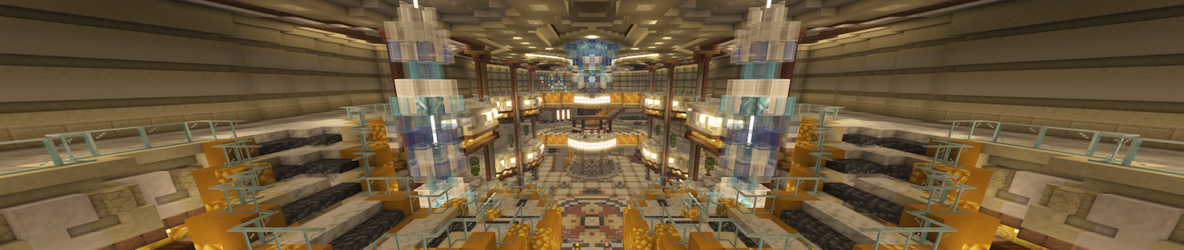
- Explore our realistic capital city that boasts property purchasing, selling, and a fully functional underground/metro/subway system!
What kind of Minecraft Server is CosmicX?
CosmicX is a Minecraft Creative / Classic Server that specifically serves players using the Java edition of the game. The server aims to provide a friendly and welcoming environment for players to enjoy a balanced and engaging Crossplay, Creative experience.
- Java Server IP: cosmicx.net
- Minecraft Version: The server operates on version n/a
Types of Games and Gameplay on CosmicX?
Minecraft servers offer a diverse range of game modes and gameplay types, which is what sets them apart from one another. CosmicX is a Minecraft server that offers several types of games and gameplay, including Parkour, Land Claim, CityBuild modes.
Server software used to run CosmicX?
Using custom server software provides additional features, customization options, and plugin support compared to the original Minecraft server jar. This server has registered their server to use the following server software: Spigot
How do I join the CosmicX server?
Join with Minecraft Java edition
- Click on the Java IP here to copy it: cosmicx.net
- Open Minecraft and click the Multiplayer tab and click Add Server
- Paste the IP into the Add Server option. Click Done
- Click Join and enjoy playing on CosmicX
