

You start with one block. Everything else you earn.
The block
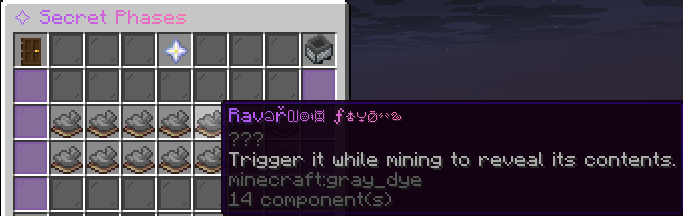
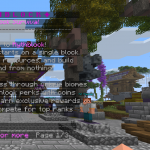
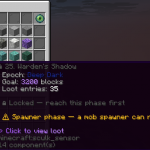
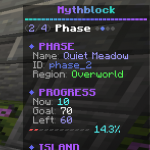
At MythBlock everything starts with one block in the void. Break it, it grows back, and every phase changes what it drops. You work through 123 phases across named epochs — from your first cobblestone through iron, gold and diamond to end-game material. The path runs through three dimensions: Overworld, Nether and End. The Nether and End aren't open from the start — you unlock them by progressing.
Season payouts
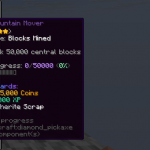
Every season runs a leaderboard built from many values: blocks mined, phases reached, prestige, Lucky Blocks, challenges completed, votes, playtime and active days. What counts is your effort in-game, not your balance. Finish at the top and you get real payouts. Bought crates and Crystals deliberately don't feed the ranking. The full rules, thresholds and payout methods are on the website.
Quests & ranks
Quest trees always give you a next goal: daily and weekly tasks plus longer quest lines. They move you up earnable ranks — not for sale — that grant real bonuses: more co-op members, a bigger island radius, an XP boost, a higher Lucky-Block chance and daily coins. After the final phase comes Prestige with its own perk tree, plus achievements (lifetime and seasonal) you claim, a rank path from Acolyte to Mythic, and a battle pass with a free and a premium track.
Economy & automation
Minions do the work: place them, log off, come back to full chests. They have tiers, fuel, upgrades like compactor, smelter and seller, and synergy bonuses when several of a kind stand together. You earn in two cleanly separated currencies: Coins are played for, Crystals are premium. Your island bank pays interest, and a custom 5x5 crafting grid with a recipe browser and share codes adds recipes vanilla never had.
Action & events
Lucky Blocks pay out something every time — and some fight back. Island events bring their own event shop and flight time for the duration of the event. Voting gets you crates, a server-wide vote party and streaks with real rewards.
Island, community & fairness
Play solo or in co-op with members and roles, expand your radius, and pick from several starter islands at the start. Leaderboards, a tutorial, kits and NPCs at spawn are part of it. Discord is linked: /profile and /rank cards, rewards delivered straight in-game, and a ticket system. Purchasable ranks (Acolyte to Mythic) give a prefix, a kit and comfort — no pay-to-win and no effect on the season ranking.
Built in-house
Every system here is self-programmed — since 2023, formerly Atramis.de. No bought-in plugin bundle, but our own base that keeps getting extended.
We're hiring
We're looking for Builder, Discord Admin and Supporter. Apply through our Discord.
Languages
English and German — Czech is in the works.
Join
Java: mythblock.me
Bedrock: mythblock.me:19132
Discord: https://discord.gg/sehE6eEy7n
Website & store: https://mythblock.me
What kind of Minecraft Server is Mythblock?
Mythblock is a Minecraft Survival Server that caters to players using both Java and Bedrock editions of the game. The server aims to provide a friendly and welcoming environment for players to enjoy a balanced and engaging Crossplay, Survival experience.
- Java Server IP: mythblock.me
- Bedrock Server IP: mythblock.me | Bedrock Port: 19132
- Minecraft Version: The server operates on version 26.2
Types of Games and Gameplay on Mythblock?
Minecraft servers offer a diverse range of game modes and gameplay types, which is what sets them apart from one another. Mythblock is a Minecraft server that offers several types of games and gameplay, including Skyblock, OneBlock, Roleplay, PVE, Land Claim, LuckyBlock, McMMO, Survival Games modes.
Server software used to run Mythblock?
Using custom server software provides additional features, customization options, and plugin support compared to the original Minecraft server jar. This server has registered their server to use the following server software: Spigot
How do I join the Mythblock server?
Join with Minecraft Java edition
- Click on the Java IP here to copy it: mythblock.me
- Open Minecraft and click the Multiplayer tab and click Add Server
- Paste the IP into the Add Server option. Click Done
- Click Join and enjoy playing on Mythblock
Join with Minecraft Bedrock / Pocket Edition (MCPE)
- Click on the link here to: Add Mythblock to Minecraft Pocket Edition
- Click Play and enjoy playing on Mythblock Bedrock Edition.
- If the above does not work, then Copy this IP and Port individually. mythblock.me Port: 19132
- Open Minecraft Pocket Edition and click the Play button
- Open the Servers tab and click on the Add Server option
- Paste the IP into the Server Address field, and the Port in the Port field
- Click Play and enjoy playing on Mythblock Bedrock Edition.
