

Minecraft Server icon for SoftBloom SMPSoftBloom SMP
Java Server IP ⟹sftblmorg.usga.me:12006
Bedrock IP:Port ⟹ sftblmorg.usga.me:12006

SoftBloom SMP
Java IP:sftblmorg.usga.me:12006
Bedrock IP:sftblmorg.usga.me
Bedrock Port:12006
Server Status:Online
Last Ping: 8 minutes ago
Server Version: 1.21.11
Players Online:1 / 50
Submitted:2026-05-27 18:19:46
Updated:2026-05-29 09:49:22
Help the ServerVote for Server
Country:United States
Rating:
SoftBloom SMP
5 stars based on 8 reviews
Votes in June:87
Votes - all time:98
External Links: Server Website
Discord
Tiktok

Similar Servers
BlossomCraft
Server Icon for BlossomCraft
Version: 26.1.2
Players Online: 532
Votes this month: 12
Simple Survival
Server Icon for Simple Survival
Version: Unknown
Players Online: 122
Votes this month: 4671
FroggySMP
Server Icon for FroggySMP
Version: 1.21.11
Players Online: 15
Votes this month: 196
The Mushroom Co. Survival
Server Icon for The Mushroom Co. Survival
Version: 1.21.11
Players Online: 10
Votes this month: 294
FaithAvenue
Server Icon for FaithAvenue
Version: 1.21.11
Players Online: 4
Votes this month: 67
Gardens MC
Server Icon for Gardens MC
Version: 1.21.4
Players Online: 2
Votes this month: 253

Recent Comments & Reviews (8) Load More
5

Best server for real. I am the owner hahaha. It's really fun

5

so clean, so good. so awesome this is good ... wow

5

I've genuinely enjoyed playing on this server. The community is welcoming, the gameplay is fun, and there's always something to do. It's a nice place to relax, build, and play with others.

5

I love this server. This is my new hobby. Friends here are kind.

5

cool server and cool people and so peaceful i like it

5

Wow, this server is so nice that they are very accomodating and friendly.

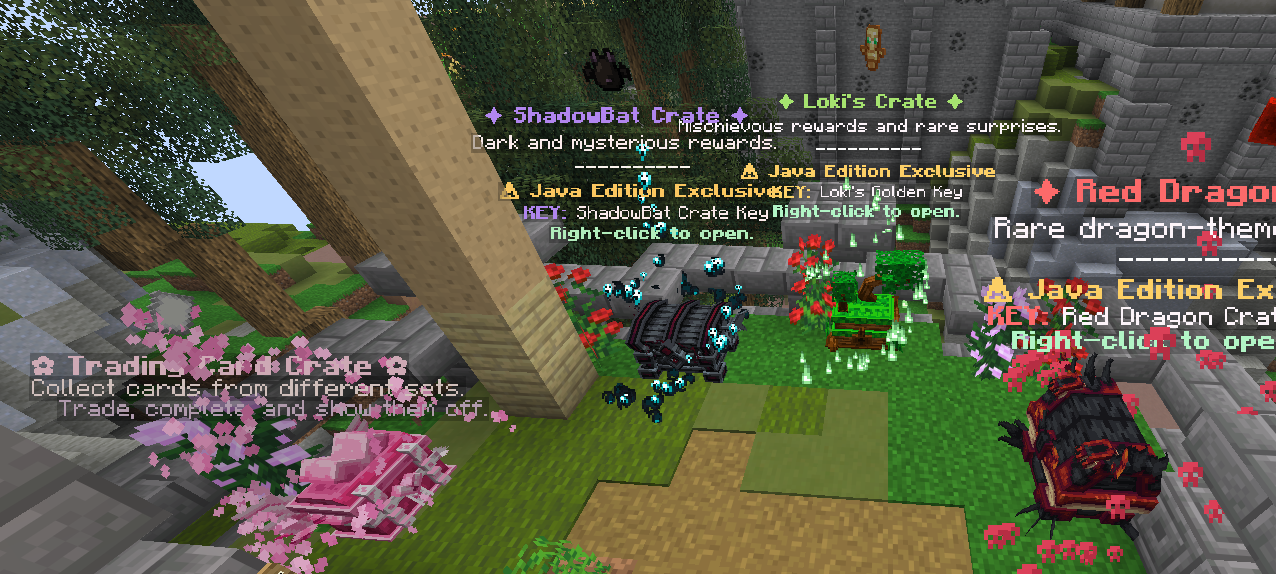
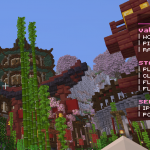
Screenshot from SoftBloom SMP Minecraft Server
🌸 SoftBloom Original SMP (1.21.11) is a cozy survival multiplayer server with RPG-style progression, custom mobs, trades, crates, cosmetics, events, and enhanced gameplay. Build, explore, trade, and level up through unique ranks while enjoying a friendly community. Java & Bedrock supported for everyone to join and enjoy the adventure together.

What kind of Minecraft Server is SoftBloom SMP?

SoftBloom SMP is a Minecraft Survival Server that caters to players using both Java and Bedrock editions of the game. The server aims to provide a friendly and welcoming environment for players to enjoy a balanced and engaging Crossplay, Survival experience.

They offer the following server quality standards: Family-friendly

Types of Games and Gameplay on SoftBloom SMP?

Minecraft servers offer a diverse range of game modes and gameplay types, which is what sets them apart from one another. SoftBloom SMP is a Minecraft server that offers several types of games and gameplay, including Roleplay, PVP, PVE, Land Claim, Factions modes.

Server software used to run SoftBloom SMP?

Using custom server software provides additional features, customization options, and plugin support compared to the original Minecraft server jar. This server has registered their server to use the following server software: Spigot

Additional plugins / mods installed on server

EliteMobs, Essentials, SimpleVoiceChat, GriefPrevention, InteractiveChat, ItemsAdder, LuckPerms, ShopKeepers

How do I join the SoftBloom SMP server?

Join with Minecraft Java edition

  • Click on the Java IP here to copy it: sftblmorg.usga.me:12006
  • Open Minecraft and click the Multiplayer tab and click Add Server
  • Paste the IP into the Add Server option. Click Done
  • Click Join and enjoy playing on SoftBloom SMP

Join with Minecraft Bedrock / Pocket Edition (MCPE)

  • Click on the link here to: Add SoftBloom SMP to Minecraft Pocket Edition
  • Click Play and enjoy playing on SoftBloom SMP Bedrock Edition.

  • If the above does not work, then Copy this IP and Port individually. sftblmorg.usga.me Port: 12006
  • Open Minecraft Pocket Edition and click the Play button
  • Open the Servers tab and click on the Add Server option
  • Paste the IP into the Server Address field, and the Port in the Port field
  • Click Play and enjoy playing on SoftBloom SMP Bedrock Edition.
Free Server Status Banner for your own website / forum (Updates every 5-10 minutes)
SoftBloom SMP minecraft server


Copy (CTRL+C) one of the above links
Paste (CTRL+V) it into your website or forum signature