
Minecraft Server icon for OmarmuMCOmarmuMC
Java Server IP ⟹omarmu.live
Bedrock IP:Port ⟹ bedrock.omarmu.live:19132

Java IP:omarmu.live
Bedrock IP:bedrock.omarmu.live
Bedrock Port:19132
Server Status:Offline
Last Ping: 9 months ago
Server Version: 1.21.7
Players Online:0 / 500
Submitted:2023-05-31 20:01:05
Updated:2025-06-05 09:28:34
Help the ServerVote for Server
Country:United Kingdom
Rating:
OmarmuMC
4.9 stars based on 158 reviews
Votes in June:0
Votes - all time:9627
External Links: Server Website
Discord
Store
Youtube

Similar Servers
BlossomCraft
Server Icon for BlossomCraft
Version: 26.1.2
Players Online: 512
Votes this month: 13
Simple Survival
Server Icon for Simple Survival
Version: Unknown
Players Online: 85
Votes this month: 4896
MysticMC
Server Icon for MysticMC
Version: 26.1.2
Players Online: 200
Votes this month: 5
FroggySMP
Server Icon for FroggySMP
Version: 1.21.11
Players Online: 17
Votes this month: 207
NineRealms SMP
Server Icon for NineRealms SMP
Version: 1.21.11
Players Online: 2
Votes this month: 2
HomeTown
Server Icon for HomeTown
Version: 1.21.11
Players Online: 29
Votes this month: 1360

Recent Comments & Reviews (158) Load More
5

The best i swear as i say it evertime but the server are getting die

5

i bielive i can fly i bielive i can run and swilm LOL

5

i love it and the owner and stuff member is the best

5

Réalisé mystérieux nigygya betterave tghan mon heure hard coco très.

5

good and fun and fun with friend good vory m

5

Very good server with very friendly people must recommend also love the shopping

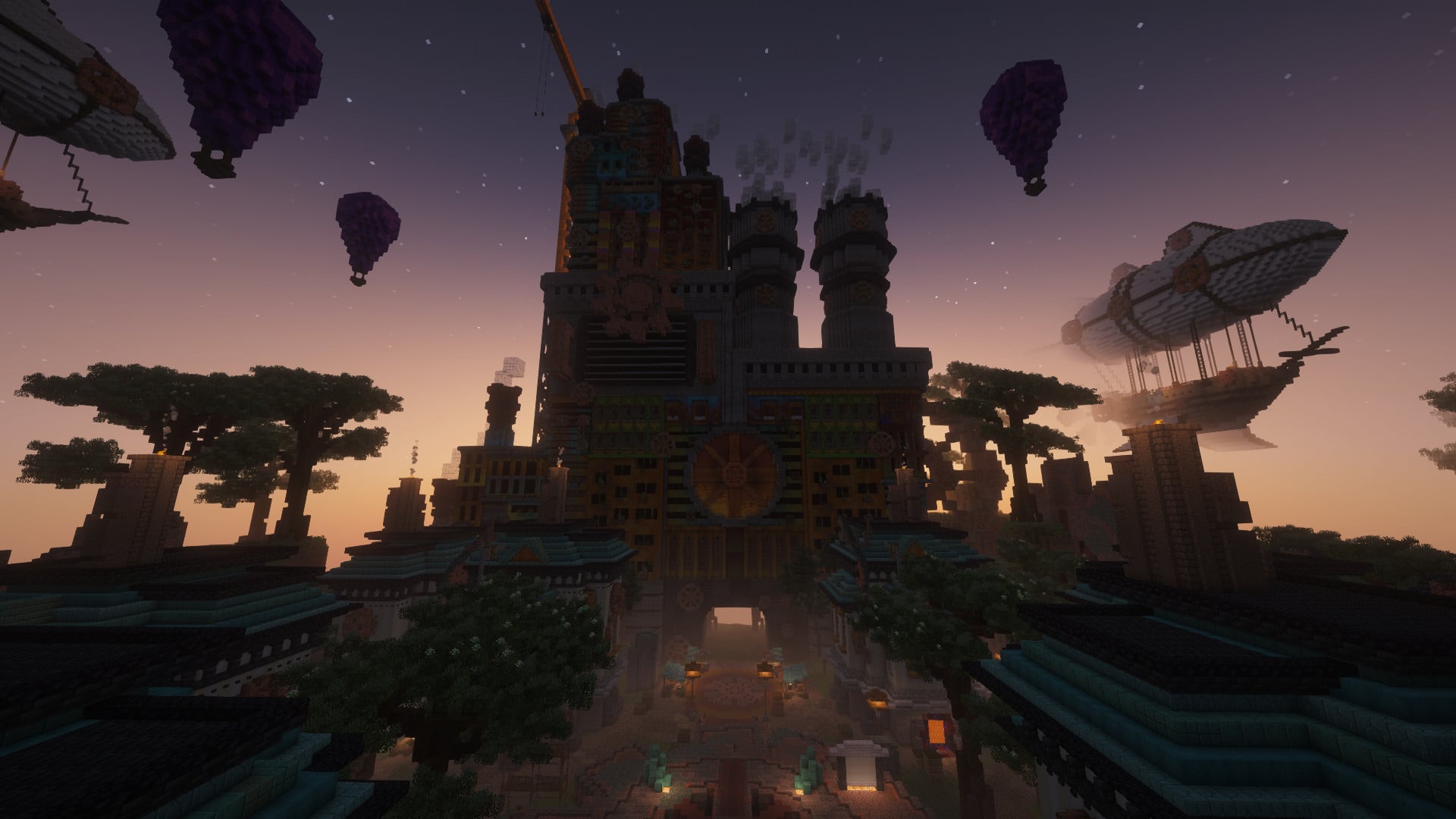
Welcome to Omarmu Survival! This Minecraft server is specifically designed for fans of the popular YouTube channel, Omarmu. Get ready to embark on an exciting adventure in a survival world filled with challenges, community, and creativity.

Omarmu Survival offers a unique experience tailored to the preferences of the channel's fans. Explore a vast and beautifully crafted landscape, teeming with diverse biomes, hidden treasures, and epic landscapes waiting to be discovered. Test your survival skills as you gather resources, build shelters, and fend off dangerous mobs that lurk in the darkness.

Engage with a passionate and welcoming community of fellow Omarmu fans, who are always eager to collaborate, share tips, and embark on group projects. From epic structures and redstone contraptions to stunning landscapes and farms, there's no limit to what you can create and accomplish together.

Stay tuned for exciting events and challenges hosted by Omarmu and the server staff. Join in epic battles, scavenger hunts, or building competitions that will push your skills to the limit and offer fantastic rewards.

Omarmu Survival is the perfect place for both beginners and experienced players to dive into a thrilling Minecraft journey, all while connecting with fellow fans of the YouTube channel. So grab your pickaxe, don your armor, and let the adventures begin in Omarmu Survival!

What kind of Minecraft Server is OmarmuMC?

OmarmuMC is a Minecraft Survival Server that caters to players using both Java and Bedrock editions of the game. The server aims to provide a friendly and welcoming environment for players to enjoy a balanced and engaging Crossplay, Survival experience.

Types of Games and Gameplay on OmarmuMC?

Minecraft servers offer a diverse range of game modes and gameplay types, which is what sets them apart from one another. OmarmuMC is a Minecraft server that offers several types of games and gameplay, including Roleplay, PVP, PVE, Land Claim, McMMO, Survival Games modes.

Server software used to run OmarmuMC?

Using custom server software provides additional features, customization options, and plugin support compared to the original Minecraft server jar. This server has registered their server to use the following server software: Spigot

Additional plugins / mods installed on server

MCMMO, Geyser, CMI, Essentials

How do I join the OmarmuMC server?

Join with Minecraft Java edition

  • Click on the Java IP here to copy it: omarmu.live
  • Open Minecraft and click the Multiplayer tab and click Add Server
  • Paste the IP into the Add Server option. Click Done
  • Click Join and enjoy playing on OmarmuMC

Join with Minecraft Bedrock / Pocket Edition (MCPE)

  • Click on the link here to: Add OmarmuMC to Minecraft Pocket Edition
  • Click Play and enjoy playing on OmarmuMC Bedrock Edition.
  • If the above does not work, then Copy this IP and Port individually. bedrock.omarmu.live Port: 19132
  • Open Minecraft Pocket Edition and click the Play button
  • Open the Servers tab and click on the Add Server option
  • Paste the IP into the Server Address field, and the Port in the Port field
  • Click Play and enjoy playing on OmarmuMC Bedrock Edition.
Free Server Status Banner for your own website / forum (Updates every 5-10 minutes)
OmarmuMC minecraft server


Copy (CTRL+C) one of the above links
Paste (CTRL+V) it into your website or forum signature
