
Minecraft Server icon for HyperboreaHyperborea
Java Server IP ⟹playhyperborea.com

Java IP:playhyperborea.com
Server Status:Online
Last Ping: 2 minutes ago
Server Version: 1.21.4
Players Online:1 / 30
Submitted:2023-06-05 06:51:47
Updated:2025-03-11 12:06:59
Help the ServerVote for Server
Country:United States
Votes in June:0
Votes - all time:6
External Links: Discord

Similar Servers
Simple Survival
Server Icon for Simple Survival
Version: Unknown
Players Online: 81
Votes this month: 4585
BlossomCraft
Server Icon for BlossomCraft
Version: 26.1.2
Players Online: 398
Votes this month: 11
MineWonderLand
Server Icon for MineWonderLand
Version: 1.16.5
Players Online: 43
Votes this month: 338
Yom Network
Server Icon for Yom Network
Version: 26.1
Players Online: 11
Votes this month: 187
Imagine Fun
Server Icon for Imagine Fun
Version: 1.21.9
Players Online: 62
Votes this month: 1237
Noob-Friendly
Server Icon for Noob-Friendly
Version: 26.1.2
Players Online: 4
Votes this month: 437

Recent Comments & Reviews (0)

No reviews yet. Be the first to leave a review!

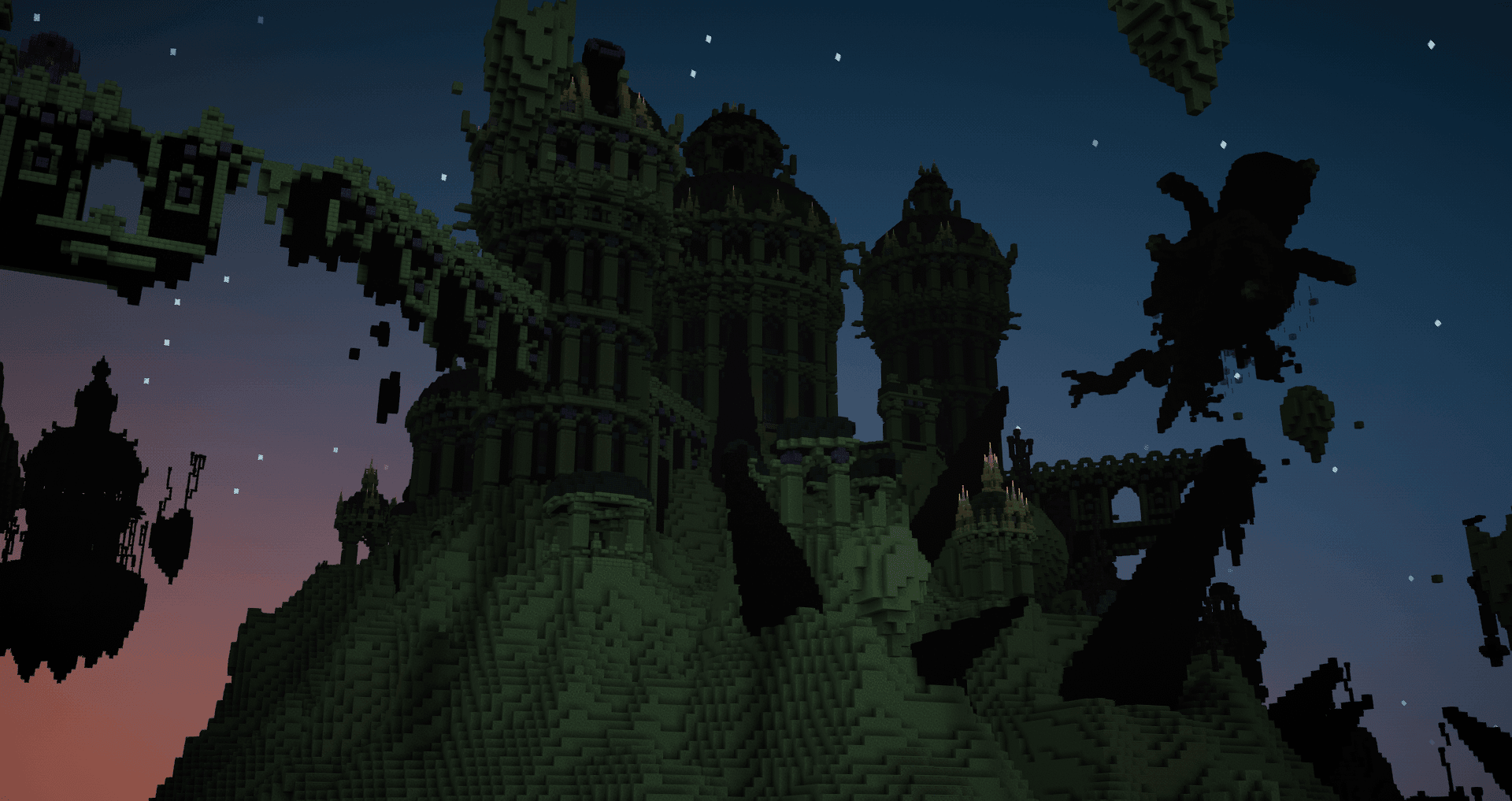
Screenshot from Hyperborea Minecraft Server
Hyperborea is an RPG server following the format of classic adventure maps. Play through a semi-linear map with custom enemies, combat, NPC questlines, multiple endings, and over 30 boss fights. Venture past the edge of the known world and discover nameless things.

IP: playhyperborea.com
Discord: discord.gg/esBNQrf8Gd

What kind of Minecraft Server is Hyperborea?

Hyperborea is a Minecraft Adventure Server that specifically serves players using the Java edition of the game. The server aims to provide a friendly and welcoming environment for players to enjoy a balanced and engaging Adventure experience.

Types of Games and Gameplay on Hyperborea?

Minecraft servers offer a diverse range of game modes and gameplay types, which is what sets them apart from one another. Hyperborea is a Minecraft server that offers several types of games and gameplay, including PVE modes.

Server software used to run Hyperborea?

Using custom server software provides additional features, customization options, and plugin support compared to the original Minecraft server jar. This server has registered their server to use the following server software: Spigot

Additional plugins / mods installed on server

Essentials, MythicMobs, MythicCrucible,

How do I join the Hyperborea server?

Join with Minecraft Java edition

  • Click on the Java IP here to copy it: playhyperborea.com
  • Open Minecraft and click the Multiplayer tab and click Add Server
  • Paste the IP into the Add Server option. Click Done
  • Click Join and enjoy playing on Hyperborea

Free Server Status Banner for your own website / forum (Updates every 5-10 minutes)
Hyperborea minecraft server


Copy (CTRL+C) one of the above links
Paste (CTRL+V) it into your website or forum signature