



Minecraft Server icon for SyntexGaming ATM 10 to the sky (GER/ENG) ATM10 TTSSyntexGaming ATM 10 to the sky (GER/ENG) ATM10 TTS
Java Server IP ⟹tts.syntexgaming.de

SyntexGaming ATM 10 to the sky (GER/ENG) ATM10 TTS
Java IP:tts.syntexgaming.de
Server Status:Online
Last Ping: 6 minutes ago
Server Version: 1.21.1
Players Online:4 / 200
Submitted:2025-10-15 00:33:10
Updated:2026-06-05 10:25:20
Help the ServerVote for Server
Country:Germany
Rating:
SyntexGaming ATM 10 to the sky (GER/ENG) ATM10 TTS
5 stars based on 7 reviews
Votes in June:7
Votes - all time:362
External Links: Discord

Similar Servers
BossCraft
Server Icon for BossCraft
Version: 26.1
Players Online: 288
Votes this month: 559
SiriusMC
Server Icon for SiriusMC
Version: 1.21.11
Players Online: 19
Votes this month: 623
CubeCadia Network
Server Icon for CubeCadia Network
Version: 26.1.2
Players Online: 5
Votes this month: 188
Simple Survival
Server Icon for Simple Survival
Version: 26.1
Players Online: 73
Votes this month: 2824
Gyrax's FTB Skies 2 Server
Server Icon for Gyrax's FTB Skies 2 Server
Version: 1.21.1
Players Online: 2
Votes this month: 2
FroggySMP
Server Icon for FroggySMP
Version: 1.21.11
Players Online: 17
Votes this month: 127

Recent Comments & Reviews (7) Load More
5

Friendly environment with helpful people! I absolutely enjoy playing on this server!

5

Mega cooler Server und bisher Lag frei. Ich bleibe auf jeden fall

5

friendly staff members and players they are very helpful with questions about mods or how they work so come on in and enjoy

5

friendly staff member's and people willing to help with any question's you have on the mods that are on this mod pack ATM To The Sky so come on and join

5

friendly staff member's and people willing to help with any question's you have on the mods that are on this mod pack ATM To The Sky so come on and join

5

I love this server nice stuff nice playerI love this server nice stuff nice playerI love this server nice stuff nice player

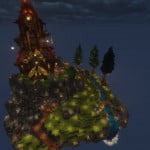
Screenshot from SyntexGaming ATM 10 to the sky (GER/ENG) ATM10 TTS Minecraft Server
Seit dem 13.10. läuft unser ATM10 – To the Sky Server dauerhaft und ist 24/7 für euch erreichbar – immer mit der neuesten Version des Modpacks. Gespielt wird in der ATM10 – To the Sky Welt, wobei wir besonderen Wert auf ein faires und freundliches Miteinander legen. Damit deine Gebiete und Items sicher sind, kannst du ganz einfach deine Chunks markieren. So hat jeder Spieler die Möglichkeit, sein Gebiet zu schützen, ohne großen Aufwand betreiben zu müssen. Ihr könnt euch eure Start Insel übrigens aussuchen.


Unser Server ist hauptsächlich deutschsprachig, dennoch freuen wir uns auch über internationale Gäste. Englisch ist also ebenfalls gerne gesehen. Wir möchten eine offene Community aufbauen, in der jeder willkommen ist und gemeinsam mit anderen Spielern spannende Projekte starten kann.


Server-Features:
Syntex Gaming ist ein ATM10-Netzwerk, bestehend aus unserem klassischen ATM10 Survival Server und dem ATM10 – To the Sky Server. Wir halten das Modpack stets aktuell und achten darauf, regelmäßig Backups zu erstellen, damit keine Fortschritte verloren gehen.


Community & Regeln:
Wir legen Wert auf Respekt, Freundlichkeit, Hilfsbereitschaft und Teamgeist. Wer möchte, kann Teams gründen, Basen bauen oder gemeinsam große Projekte starten.


Discord & Infos:
Alle wichtigen Neuigkeiten, Events und Ankündigungen findest du auf unserem Discord-Server:
https://discord.gg/ta9b2jSwPe


Das Modpack selbst kannst du dir ganz einfach über CurseForge herunterladen und sofort loslegen.


Schließe dich der Syntex Gaming Community an – wir freuen uns auf dich!

What kind of Minecraft Server is SyntexGaming ATM 10 to the sky (GER/ENG) ATM10 TTS?

SyntexGaming ATM 10 to the sky (GER/ENG) ATM10 TTS is a Minecraft Tekkit Server that specifically serves players using the Java edition of the game. The server aims to provide a friendly and welcoming environment for players to enjoy a balanced and engaging Survival experience.

They offer the following server quality standards: Family-friendly

Types of Games and Gameplay on SyntexGaming ATM 10 to the sky (GER/ENG) ATM10 TTS?

Minecraft servers offer a diverse range of game modes and gameplay types, which is what sets them apart from one another. SyntexGaming ATM 10 to the sky (GER/ENG) ATM10 TTS is a Minecraft server that offers several types of games and gameplay, including Skyblock, PVE, Land Claim modes.

Server software used to run SyntexGaming ATM 10 to the sky (GER/ENG) ATM10 TTS?

Using custom server software provides additional features, customization options, and plugin support compared to the original Minecraft server jar. This server has registered their server to use the following server software: Spigot

Does SyntexGaming ATM 10 to the sky (GER/ENG) ATM10 TTS use any special modpacks?

Modpacks often require players to install mods on their own client. This server has registered their server to use the following modpacks: Tekkit, FTB

How do I join the SyntexGaming ATM 10 to the sky (GER/ENG) ATM10 TTS server?

Join with Minecraft Java edition

  • Click on the Java IP here to copy it: tts.syntexgaming.de
  • Open Minecraft and click the Multiplayer tab and click Add Server
  • Paste the IP into the Add Server option. Click Done
  • Click Join and enjoy playing on SyntexGaming ATM 10 to the sky (GER/ENG) ATM10 TTS
Free Server Status Banner for your own website / forum (Updates every 5-10 minutes)
SyntexGaming ATM 10 to the sky (GER/ENG) ATM10 TTS minecraft server


Copy (CTRL+C) one of the above links
Paste (CTRL+V) it into your website or forum signature