







Our server is designed to be a kid/family friendly and fun environment for everyone! We have a small friendly community of players and we strongly promote respect for all players. All player builds/homes are protected by Grief Prevention and we are able to easily "rollback" any griefing reported by our users. We also have chat censoring to protect against swearing. Our friendly staff are always willing to help you out or happy to just have a chat if you're bored!
NO GRIEFING - NO HACKS - NO TROLLING - NO SPAMMING - NO SWEARING - NO NAGGING
• Safe Kid/Family friendly environment, heavily moderated.
• Survival PVE world, with additional Resource Overworld, Nether and End world!
• Regular building competitions, with rewards!
• Fun filled games with rewards (Colour Madness, Mazes, Parkour, Replicator, Spleef, Last Man Standing, Survival Games, Infection, Capture the Flag, Skywars, Fishing, Blockhunt, Build Battle, Walls, Murder Mystery, Boost, Village Defence and Party Games!)
• Fully automated Survival Games
• Incredible Prison server with bonuses, hidden secrets and challenges
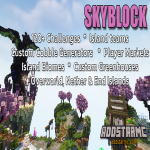
• Original SkyBlock with teams, custom generators, challenges and greenhoueses.
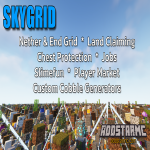
• Skygrid world with a Nether and End grid!
• Economy, Jobs and Player Markets.
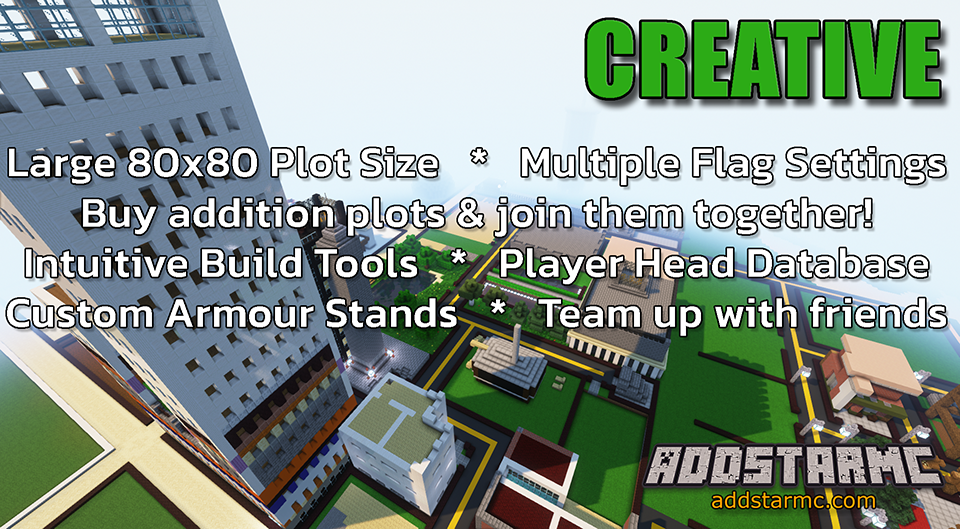
• Creative Plots world with customisable weather, time and effects.
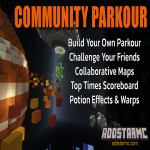
• Community Parkour world to build and challenge your friends.
• Separate PVP and PVE hardcore worlds to challenge yourself!
• LWC protection (chests, doors, dispensers, etc)
• NO PVP, except in PVP designated areas and games.
• Hack/cheat detection - Cheaters are not welcome here!
What kind of Minecraft Server is Addstar MC?
Addstar MC is a Minecraft Survival Server that caters to players using both Java and Bedrock editions of the game. The server aims to provide a friendly and welcoming environment for players to enjoy a balanced and engaging Crossplay, Survival experience.
- Java Server IP: play.addstarmc.com
- Bedrock Server IP: play.addstarmc.com | Bedrock Port: 19132
- Minecraft Version: The server operates on version 1.21.11
Types of Games and Gameplay on Addstar MC?
Minecraft servers offer a diverse range of game modes and gameplay types, which is what sets them apart from one another. Addstar MC is a Minecraft server that offers several types of games and gameplay, including Skywars, Skyblock, Prison, Parkour, PVP, PVE, Land Claim, Economy, MiniGames, Survival Games, Capture the Flag modes.
Server software used to run Addstar MC?
Using custom server software provides additional features, customization options, and plugin support compared to the original Minecraft server jar. This server has registered their server to use the following server software: Spigot
Additional plugins / mods installed on server
GriefPrevention, Skyblock, Slimefun, ExoticGarden, Jobs, JobsReborn, GriefPrevention, Skygrid, EZRanksPro, PrisonMines, Minigames, Prism, WorldGuard, WorldEdit, LWC, PlotSquared
How do I join the Addstar MC server?
Join with Minecraft Java edition
- Click on the Java IP here to copy it: play.addstarmc.com
- Open Minecraft and click the Multiplayer tab and click Add Server
- Paste the IP into the Add Server option. Click Done
- Click Join and enjoy playing on Addstar MC
Join with Minecraft Bedrock / Pocket Edition (MCPE)
- Click on the link here to: Add Addstar MC to Minecraft Pocket Edition
- Click Play and enjoy playing on Addstar MC Bedrock Edition.
- If the above does not work, then Copy this IP and Port individually. play.addstarmc.com Port: 19132
- Open Minecraft Pocket Edition and click the Play button
- Open the Servers tab and click on the Add Server option
- Paste the IP into the Server Address field, and the Port in the Port field
- Click Play and enjoy playing on Addstar MC Bedrock Edition.
